🌐 WebView Viewer
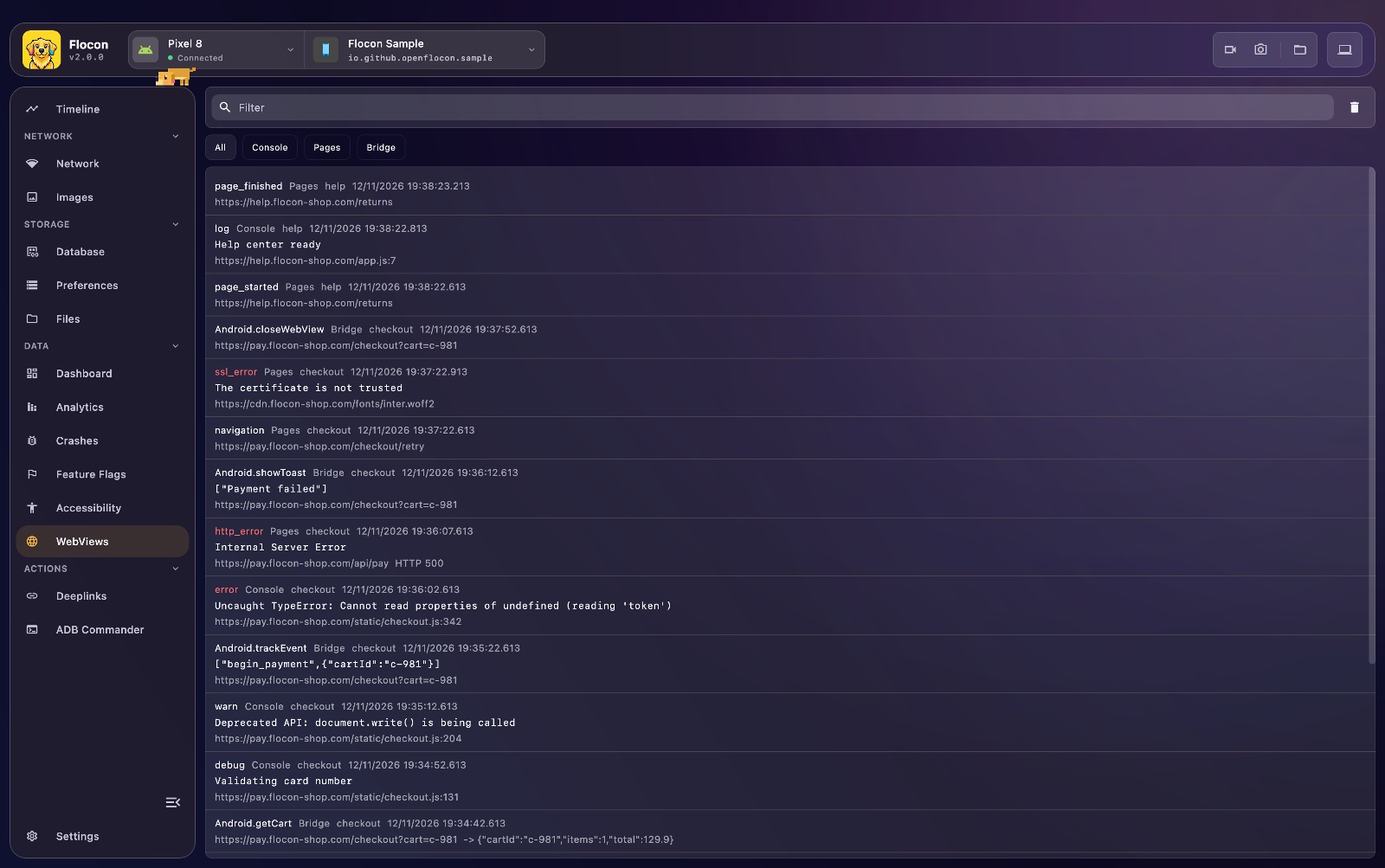
Flocon displays what happens inside the WebViews of your application: the JS console, the page loads and errors, and the calls from the page to your native code.
No more chrome://inspect and USB debugging to read a console.error.
Platform support
The WebView plugin is available in the Kotlin / KMP SDK only. The Swift and Flutter SDKs do not have it yet.
| Android | KMP (iOS / JVM / Wasm) | Swift (iOS / macOS) | Flutter | |
|---|---|---|---|---|
Automatic capture (attach) |
✅ | ❌ | ❌ | ❌ |
Manual API (logConsole, logPageEvent, logBridgeCall) |
✅ | ✅ | ❌ | ❌ |
On iOS, JVM and Wasm (Kotlin) there is no attach yet: use the manual API. The requests made by the page (fetch, XMLHttpRequest) are not captured yet.
Setup
dependencies {
    debugImplementation("io.github.openflocon:flocon-webview:LAST_VERSION")
    releaseImplementation("io.github.openflocon:flocon-webview-no-op:LAST_VERSION")
}
Install the plugin when you start Flocon:
Not available in the Swift SDK yet
There is no WebView plugin in FloconSwift (WKWebView is not captured).
Not available in the Flutter SDK yet
There is no WebView plugin in the Flutter packages.
Usage
Attach a WebView (Android). Attach each WebView once, after you set your own WebViewClient / WebChromeClient:
webView.settings.javaScriptEnabled = true
webView.webViewClient = MyWebViewClient()
webView.webChromeClient = MyWebChromeClient()

Flocon.webViewPlugin.attach(webView, webViewId = "checkout")
attach wraps your clients: every callback is still forwarded to them, so the behavior of your WebView does not change. The wrappers are read back from the WebView on Android 8.0 (API 26) and above. Below, wrap your clients yourself:
webView.webViewClient = FloconWebViewClient(Flocon.webViewPlugin, "checkout", delegate = MyWebViewClient())
webView.webChromeClient = FloconWebChromeClient(Flocon.webViewPlugin, "checkout", webView, delegate = MyWebChromeClient())
Bridge calls. Flocon cannot see the calls made to an object you expose with addJavascriptInterface: log them from the method itself.
class AppBridge {
    @JavascriptInterface
    fun share(text: String): String {
        val result = shareUseCase(text)
        Flocon.webViewPlugin.logBridgeCall(
            webViewId = "checkout",
            interfaceName = "Android",
            method = "share",
            arguments = text,
            result = result,
        )
        return result
    }
}
Manual API. The same functions are available on every Kotlin platform, for a WebView Flocon does not attach to:
Not available in the Swift SDK yet
Not available in the Flutter SDK yet
In Flocon Desktop
In the Timeline
Console messages, page loads and bridge calls also show up in the Timeline.
The WebViews screen lists three kinds of events, newest first:
- Console:
console.log,info,warnanderrorof the page, with the source file and line when the browser gives them - Pages: page started / finished, navigation, and the errors (network error, HTTP error, SSL error)
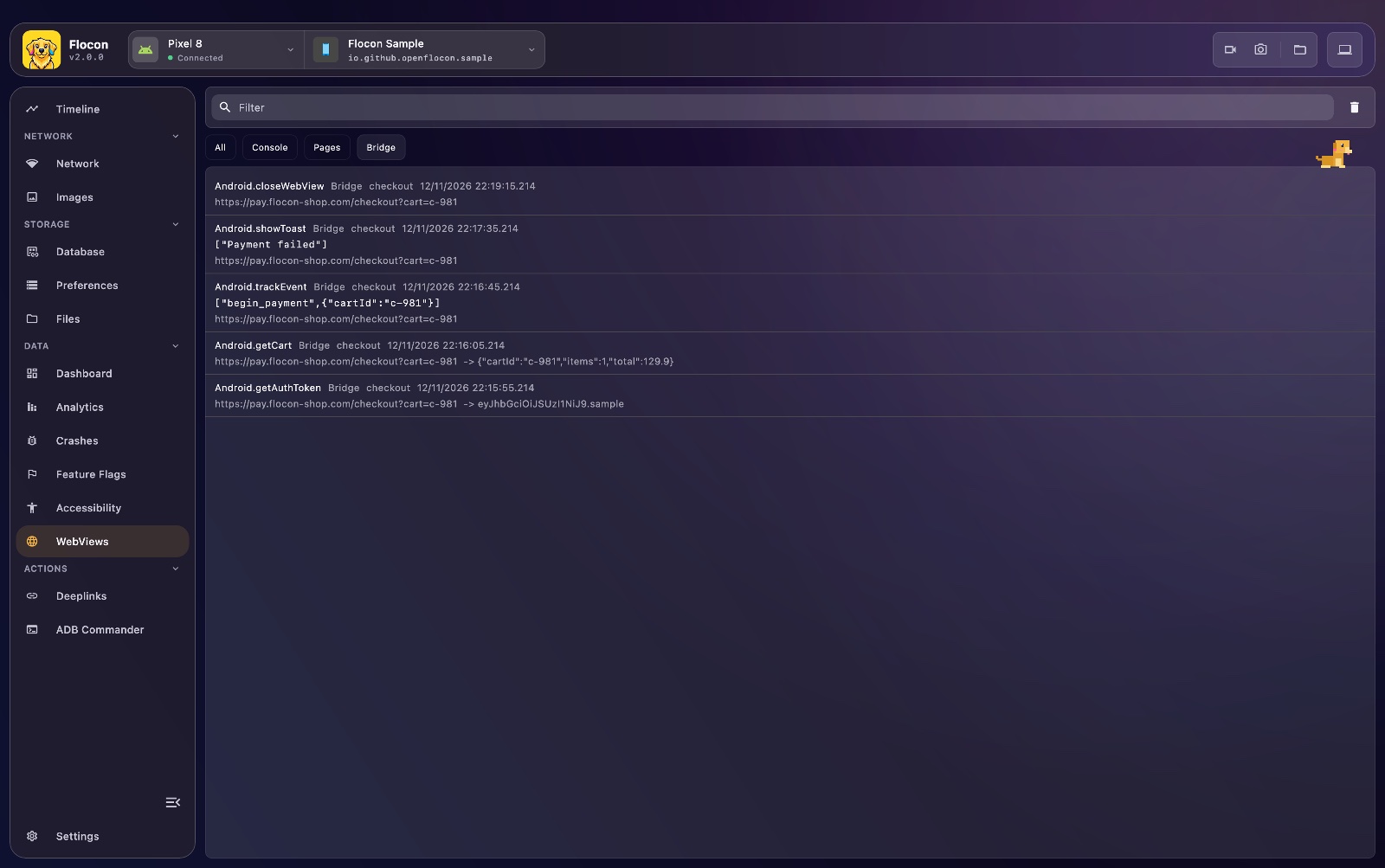
- Bridge: the calls from the page to a native object exposed with
addJavascriptInterface, with their arguments and result
Filter by kind with the chips at the top (All, Console, Pages, Bridge), or search in the level, message, url and WebView id. Each WebView is identified by the id you give it, so several WebViews of the same app can be told apart. The events also show up in the timeline as a WebView source.
With AI agents (MCP)
list_webview_events: the console, page and bridge events of the WebViews, newest first.
"Is there a JS error in the checkout WebView? Read the console events."
See the MCP cookbook for full workflows.